Too Much Bones
Find an accomplice
Prompt
X-Ray Hit Effect Brief Create a dynamic, frame-by-frame X-ray effect for every moment a person is struck by the ray gun in the supplied video. Identify each impact section precisely. For every frame in each section, extract that exact source frame and create a separate GPT Image 2.5 Sunburst edit. Preserve the person’s pose, face, camera framing, background and existing motion from that frame. Add evolving cyan electrical sparks and bright bone details, keeping the X-ray aligned with the person as they move. Do not reuse one image across multiple frames. Place each edited image over its matching video frame on an upper video track, at exactly one frame long. Every frame of every impact section must be covered, with no gaps. Keep the original footage and audio underneath, and end the effect as soon as the impact ends. Do not replace this with occasional flash frames or a held image. Export at the source frame rate and aspect ratio. Before delivery, inspect the rendered video frame by frame to confirm that every impact frame contains its matching edit, the faces and backgrounds remain consistent, and the original audio is uninterrupted.
Tutorial
DENIZ AKKABAK · INVIDEO EDITOR TUTORIAL · @DENIZ.AKKABAK
MADE IN THE INVIDEO EDITOR · invideo.io/i/DENIZ-ig
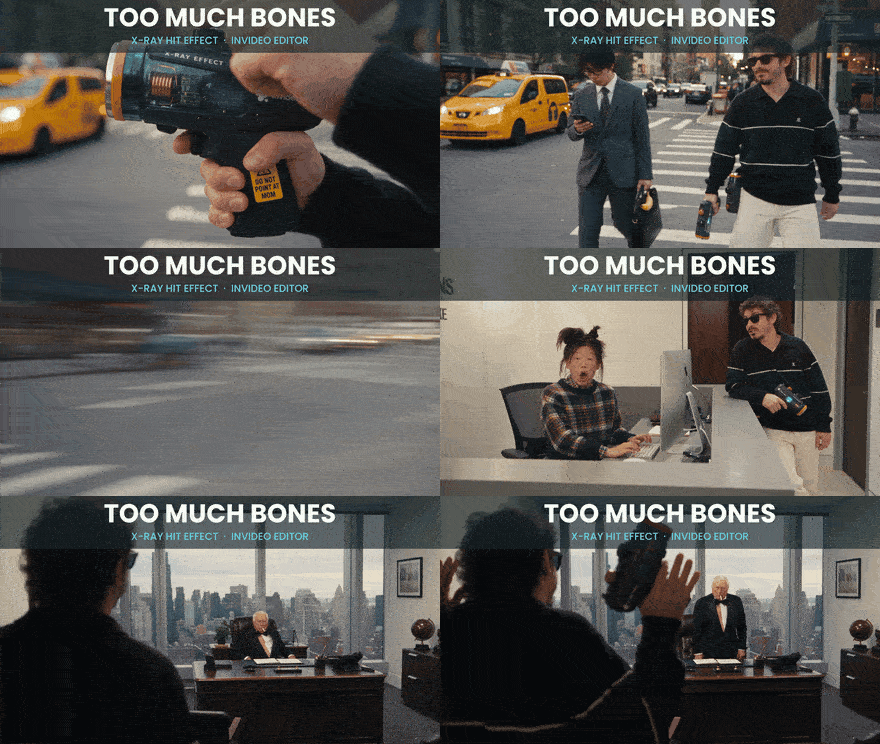
Too Much Bones
A frame-by-frame X-ray hit effect built inside the invideo editor — your own footage, one brief, and a separate GPT Image 2.5 Sunburst edit for every single impact frame.
A TUTORIAL BY DENIZ AKKABAK · @DENIZ.AKKABAK
PIPELINE INVIDEO EDITOR · AGENT TWO ULTRA · GPT IMAGE 2.5 SUNBURST FORMAT 16:9 · 24 FPS GENRE FRAME-BY-FRAME EFFECT
Most X-ray effects are one overlay slapped on top of a moving body — the skeleton floats, the person walks out from under it, and the eye catches the lie in a second. This one is built the opposite way. The invideo editor’s agent finds every moment someone gets hit, pulls each of those frames out of your clip, and repaints every one of them as its own image: same pose, same face, same street, plus bones and cyan electricity. Laid back in one frame at a time, the skeleton moves because the body moves, and the tiny differences between neighbouring edits become the crackle. You bring the footage. The brief below does the rest.
THE PIPELINE AT A GLANCE
- 01
Editor mode + your clip
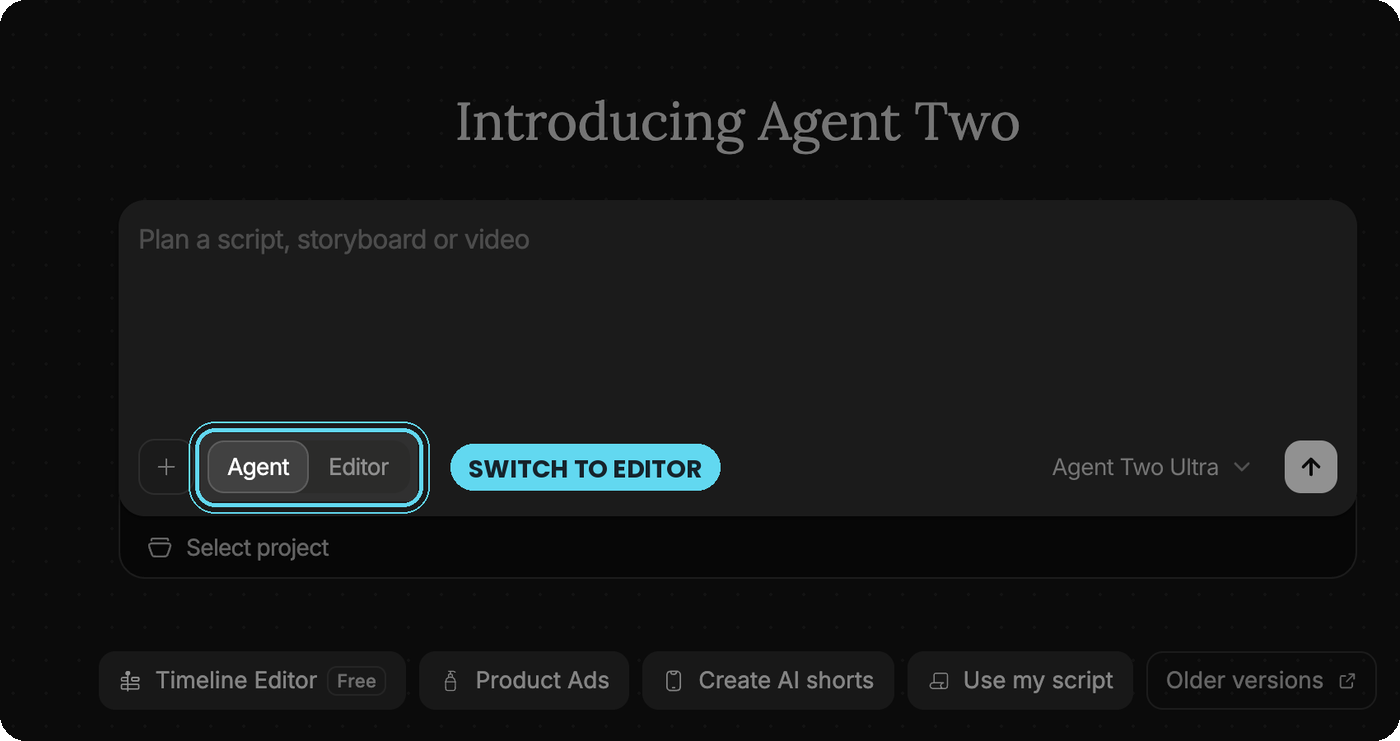
On the invideo start screen, flip the toggle from Agent to Editor, attach the clip where someone gets hit, and send the opening instruction.
- 02
The brief
One paragraph-length brief tells Agent Two exactly how to build the effect: find the impacts, one GPT Image 2.5 Sunburst edit per frame, no shortcuts.
- 03
Frame factory → export
The agent lays every edit one frame long on an upper track above your untouched footage and audio, checks its own render, and exports at the source frame rate.
STEP 01 — INVIDEO EDITOR
Setting Up the Editor
Everything happens on the invideo start screen. The prompt box has two modes: Agent plans a script, storyboard or video from nothing; Editor works on footage you already have. For this effect you want Editor — the X-ray is laid onto your own clip, not generated from scratch.
START SCREEN
ATTACH THE CLIP AND SEND THE INSTRUCTION
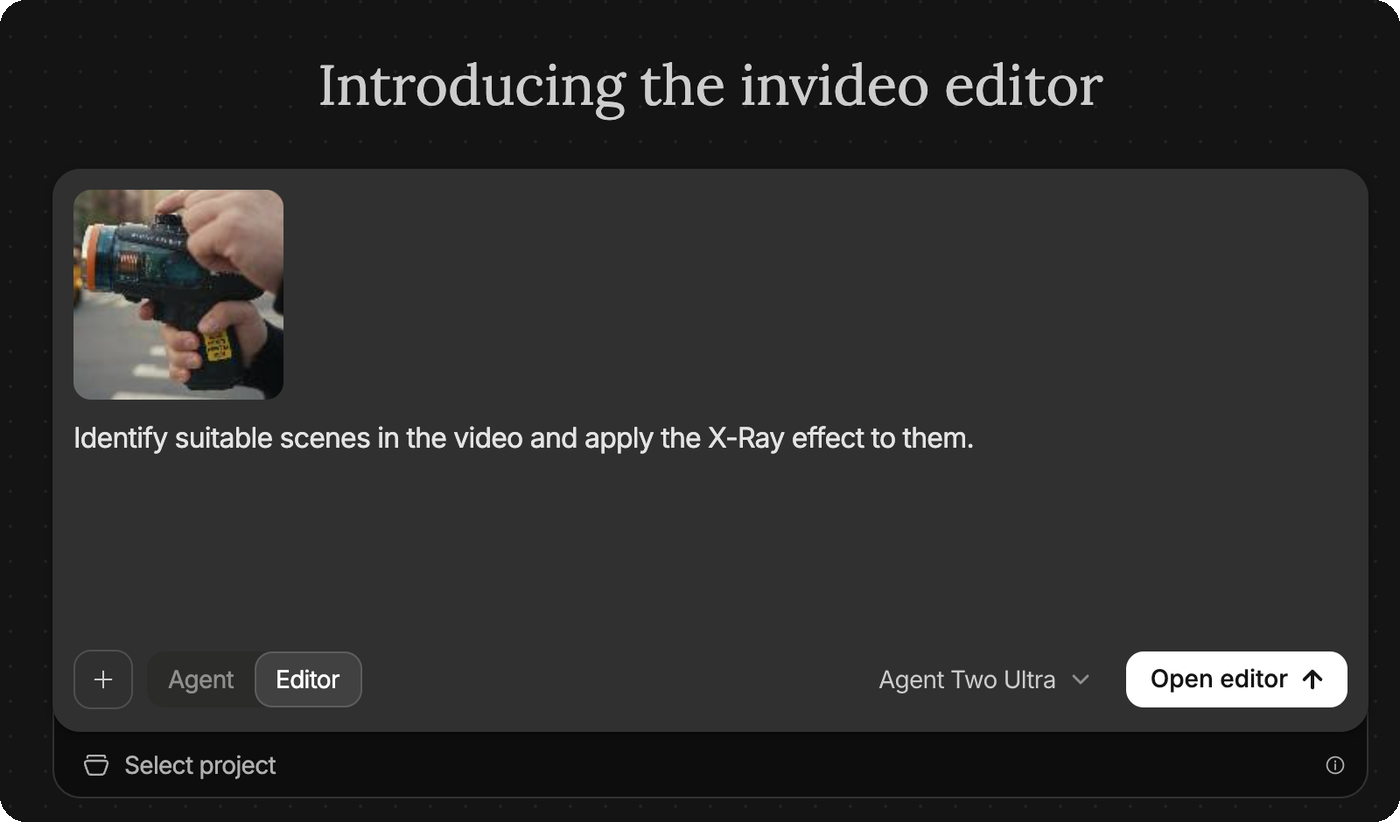
OPENING INSTRUCTION — COPY EXACTLY
EDITOR · OPENING MESSAGE
Identify suitable scenes in the video and apply the X-Ray effect to them.
Your clip needs one thing above all: a hit you can read. A clear trigger, a clear moment of contact, a body the agent can see in full or three-quarter frame. Short impacts of a second or two keep the frame count — and the checking — manageable.
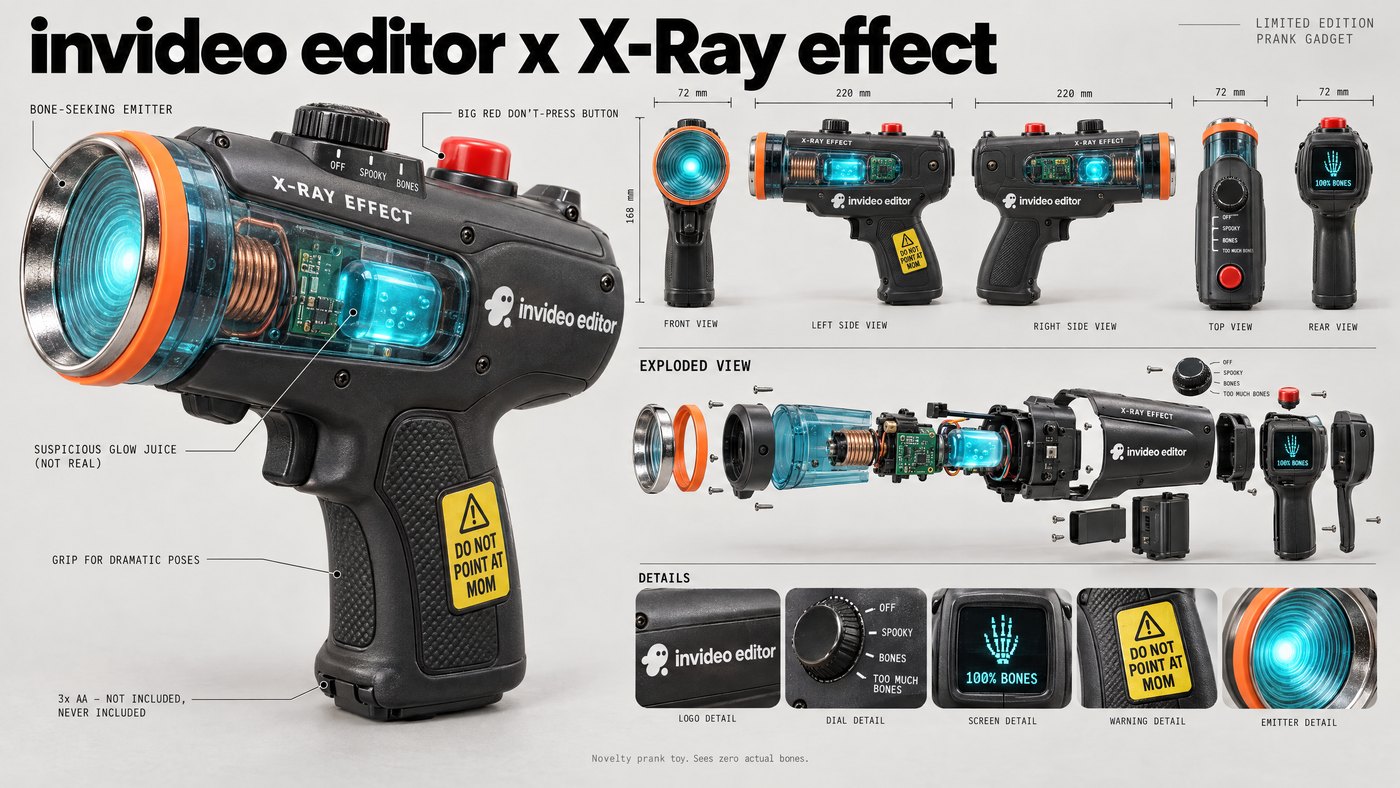
OPTIONAL HARDWARE
STEP 02 — AGENT TWO
The X-Ray Hit Effect Brief
The opening line tells the agent what to do; the brief tells it how. Give it to the agent in the editor as your working instruction. Every sentence exists to close a shortcut an agent would otherwise take — reusing one image, flashing a few frames, holding a still over the action, or letting faces drift. If your clip has no ray gun, change only the words “the ray gun” to whatever hits your subject.
BRIEF — COPY EXACTLY
X-RAY HIT EFFECT BRIEF · PASTE TO THE AGENT
X-Ray Hit Effect Brief
Create a dynamic, frame-by-frame X-ray effect for every moment a person is struck by the ray gun in the supplied video.
Identify each impact section precisely. For every frame in each section, extract that exact source frame and create a separate GPT Image 2.5 Sunburst edit. Preserve the person’s pose, face, camera framing, background and existing motion from that frame. Add evolving cyan electrical sparks and bright bone details, keeping the X-ray aligned with the person as they move. Do not reuse one image across multiple frames.
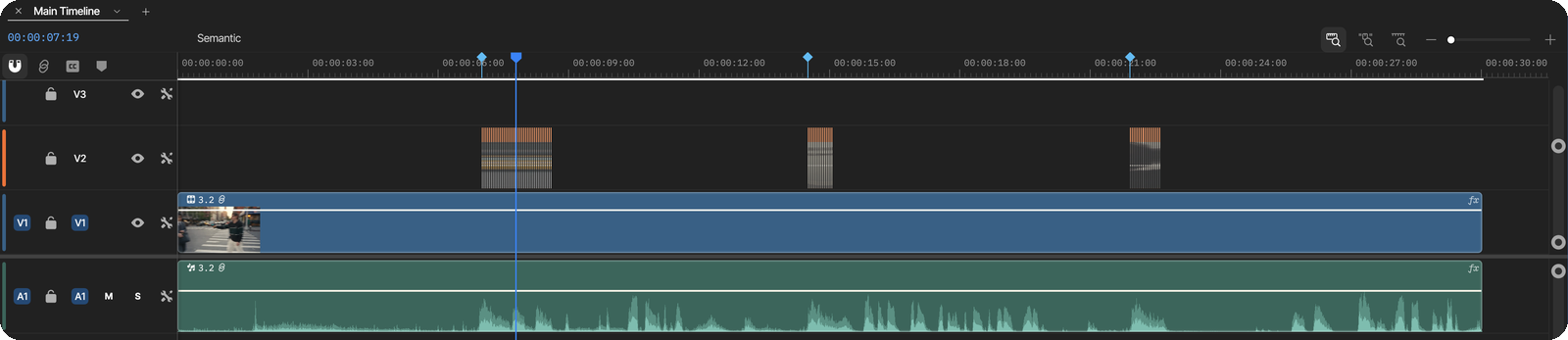
Place each edited image over its matching video frame on an upper video track, at exactly one frame long. Every frame of every impact section must be covered, with no gaps. Keep the original footage and audio underneath, and end the effect as soon as the impact ends. Do not replace this with occasional flash frames or a held image.
Export at the source frame rate and aspect ratio. Before delivery, inspect the rendered video frame by frame to confirm that every impact frame contains its matching edit, the faces and backgrounds remain consistent, and the original audio is uninterrupted.
STEP 03 — AGENT TWO · GPT IMAGE 2.5 SUNBURST
The Frame Factory
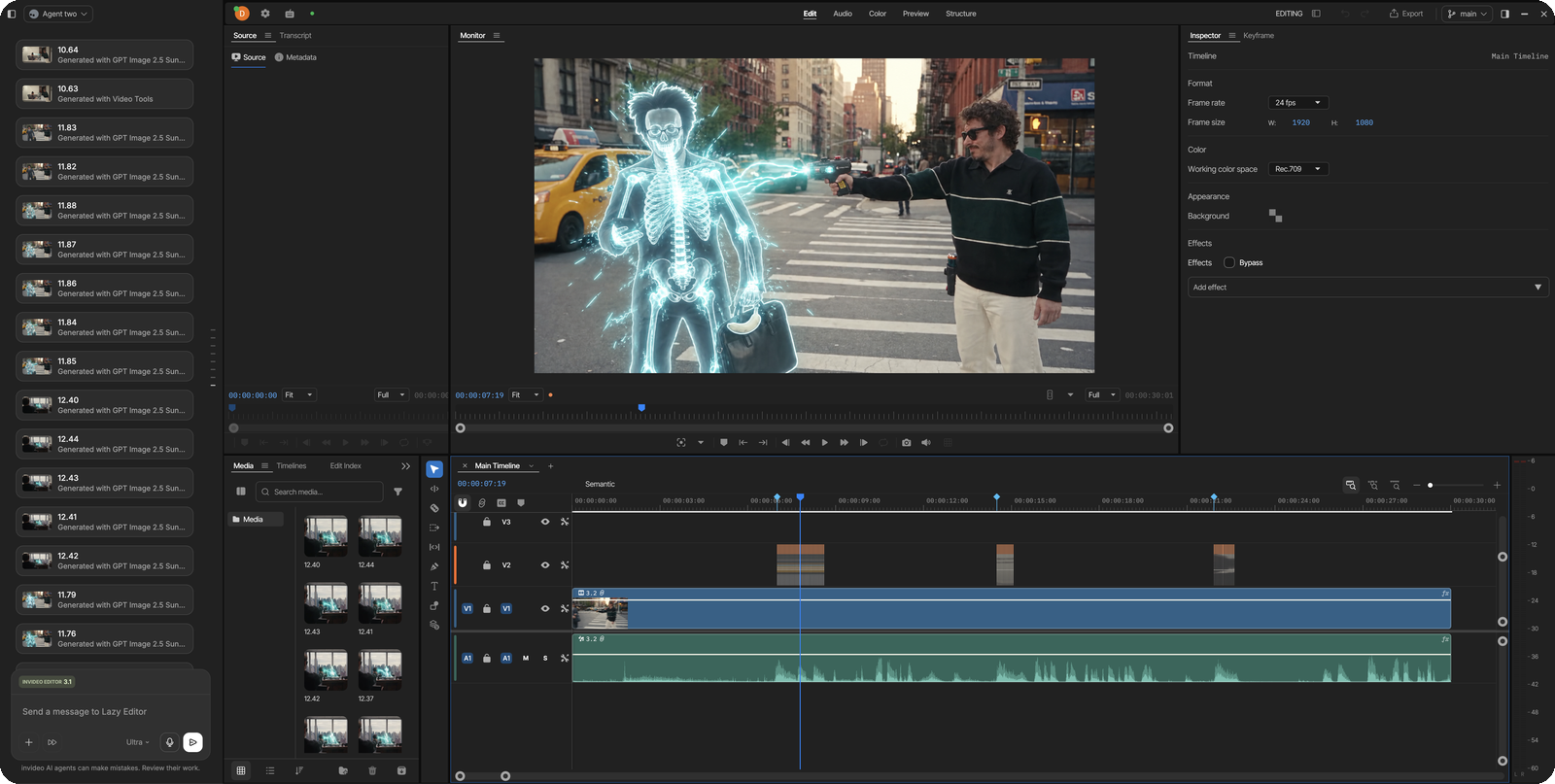
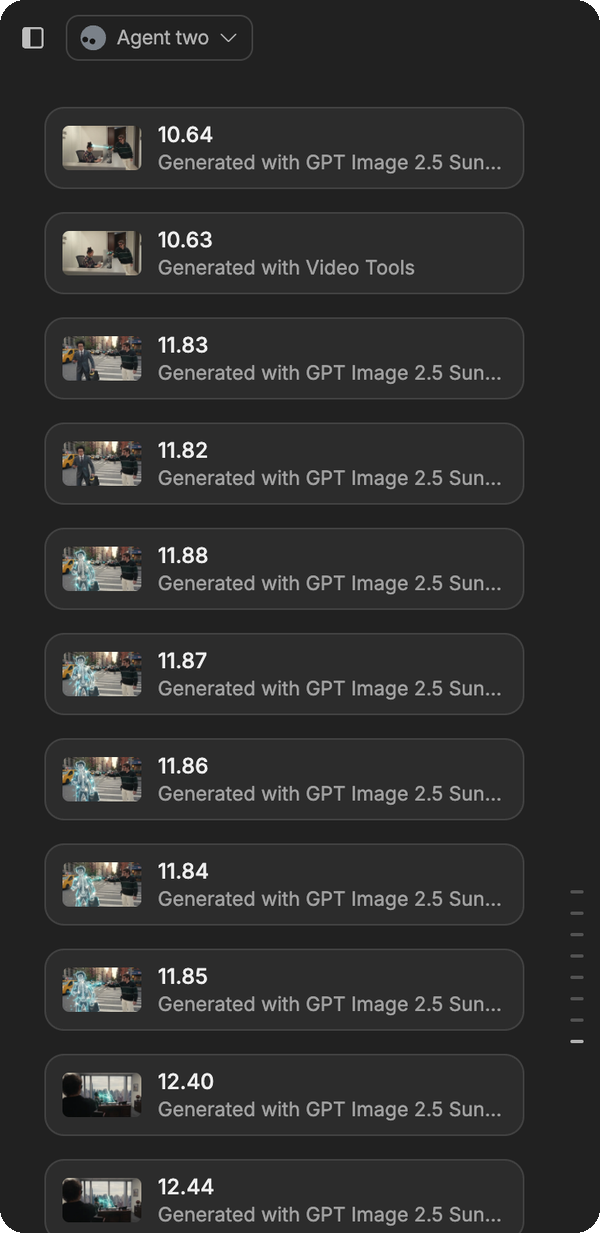
Once the editor opens, the agent goes to work on its own. It identifies each impact section, extracts the exact source frame for every frame inside it, and sends each one through its own GPT Image 2.5 Sunburst edit. The agent panel fills up with numbered stills as it goes — each one tagged “Generated with GPT Image 2.5 Sunburst” — and the monitor already shows the effect in place.
THE EDITOR AT WORK
ONE STILL PER FRAME
THE TIMELINE
OUTPUT

STEP 04
Anatomy — Why the Brief Works
- 01
The contract
“Create a dynamic, frame-by-frame X-ray effect for every moment a person is struck” defines the job by an event, not by timestamps. You never mark in and out points — the agent has to find the hits itself, which is why the same brief works on anyone’s clip.
- 02
One frame, one edit
“For every frame in each section, extract that exact source frame and create a separate GPT Image 2.5 Sunburst edit” is the heart of it. Each edit starts from its own frame, so the skeleton inherits the body’s real motion instead of sliding over it.
- 03
The identity lock
“Preserve the person’s pose, face, camera framing, background and existing motion from that frame” limits the image model to adding, never re-imagining. The edit lines up with the frame underneath, so the swap is invisible except for the bones.
- 04
Built-in energy
“Evolving cyan electrical sparks” asks for change from frame to frame. Played back at 24 fps, those small differences read as live current — the stutter is the effect, not a flaw.
- 05
Layered, not destroyed
“On an upper video track, at exactly one frame long … Keep the original footage and audio underneath” keeps every edit as a separate clip on V2. Nothing is baked into your footage, so any bad frame can be regenerated or deleted on its own.
- 06
The insurance
“Do not reuse one image across multiple frames” and “Do not replace this with occasional flash frames or a held image” name the two cheap versions an agent would reach for and rule both out, while “end the effect as soon as the impact ends” stops it from overstaying.
- 07
The self-audit
“Export at the source frame rate and aspect ratio” prevents doubled or dropped frames, and “inspect the rendered video frame by frame” makes the agent check coverage, faces, backgrounds and audio before it calls the job done.
THE RESULT
Output — Three Hits, Every Frame Rebuilt
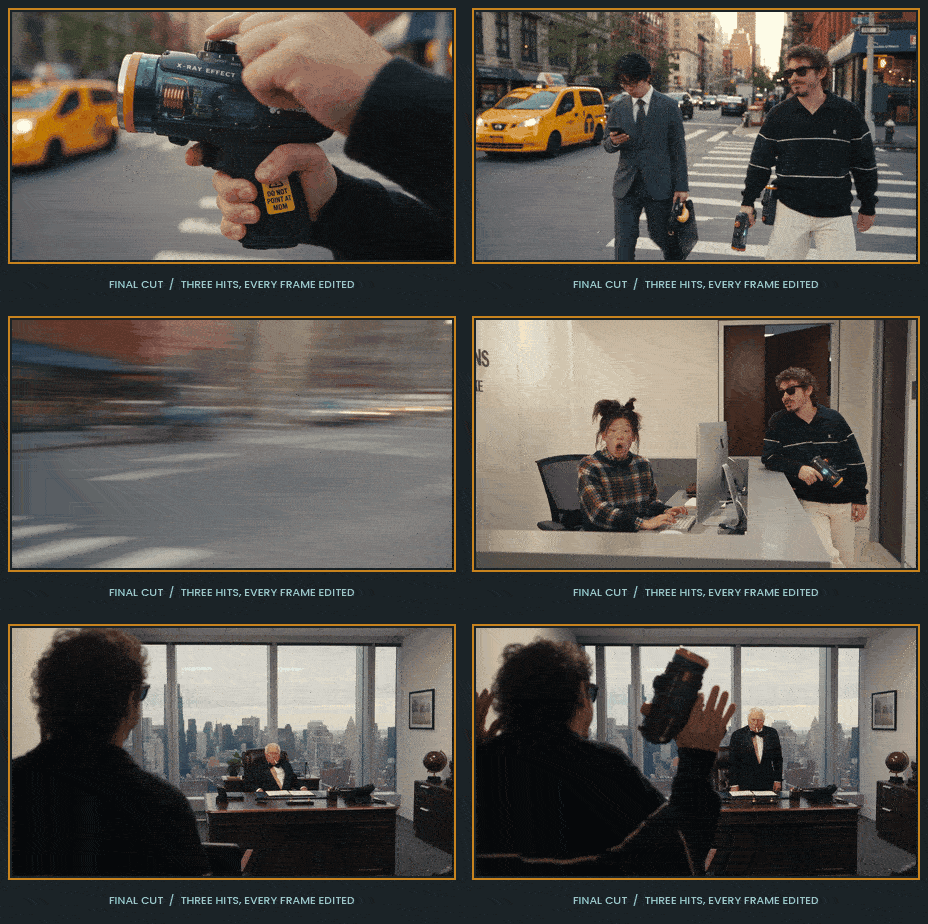
Check it against the brief before you post. Scrub each hit frame by frame: every impact frame should carry its own edit, the skeleton should stay inside the body as it moves, the face and background should match the frames before and after the hit, and the audio should run without a single gap. If one frame slips, regenerate just that one — it is its own clip on V2.
ONE BRIEF. EVERY FRAME. ZERO ACTUAL BONES.
An effect is only as good as its worst frame — so give every frame its own.
Swap the ray gun for a snowball, a pillow or a very aggressive high five. Swap the X-ray for thermal vision, a pencil sketch or a glitch. The skeleton of this brief carries any frame-by-frame effect: find the event, edit every frame on its own, stack the edits one frame long above untouched footage, and make the agent audit its own render before it hands anything back.
The invideo editor is free. Agent Two works directly on an editable timeline, so every one of those frames stays a layer you can open, swap or delete — nothing is baked in until you export.
WRITTEN, DIRECTED & PROMPTED BY DENIZ AKKABAK · @DENIZ.AKKABAK