Influenstein
Find an accomplice
Prompt 3
VIDEO BRIEF · SEND IN THE SAME CLAUDE CHAT create a funny influencer video of this character getting into funny, ridiculous situations in real life and then edit the video in the invideo Editor.
Other prompts in this tutorial
CLAUDE SETUP PROMPT · FROM INVIDEO REMOTE AGENTS
Set up invideo's video editor as an MCP server for yourself, Claude, so we can edit videos on a professional NLE timeline together. 1. Read invideo's setup guide at https://invideo.io/agents.md and follow the steps for Claude. 2. Do the setup yourself. It changes my client's settings, so ask me once first. If a step only I can do (a restart, a settings screen, a sign-in), tell me exactly what to do in one message, then carry on when I'm back. 3. In invideo, introduce yourself as "<my first name>'s Claude". Ask me my first name if you don't know it. 4. Once invideo's tools are available, ask me what video we're making.
Prompt 2
CHARACTER TEMPLATE · PASTE INTO CLAUDE A strange, absurd fashion influencer, presented as a professional character reference sheet. This character: a man or woman in their [AGE], [BUILD], with [HAIR]. Their one exaggerated feature, played completely straight: [FEATURE]. [FACIAL HAIR OR MAKEUP]. Signature expression: [EXPRESSION]. Outfit in a [ERA / VIBE] spirit: a [KEY GARMENT] with matching pieces in [COLOR 1], [COLOR 2] and [COLOR 3], [SHOES], and [ACCESSORY]. 16:9 frame on a light grey seamless studio backdrop, soft even studio light. Top row, four full-body views of the same person standing neutral: FRONT, 3/4, PROFILE, BACK. Bottom row, five close-up panels: FACE, SIDE, 3/4 CLOSE, a DETAIL macro of the accessory or fabric, and FIT showing the trousers and shoes. Each panel has a small clean label in a simple sans-serif font: FRONT, 3/4, PROFILE, BACK, FACE, SIDE, 3/4 CLOSE, DETAIL, FIT. Fully photographic and real, like a casting agency shoot on a medium-format camera: natural skin with visible pores, real imperfections and asymmetry, real fabric weave, wrinkles and wear. The absurdity comes from styling, hair, posture and the single exaggerated feature, all presented completely seriously. The character is an adult, and the exaggeration never targets or imitates features associated with any race or ethnicity. Same character, outfit and proportions in every panel. No other text, no watermark, no extra people.
Tutorial
DENIZ AKKABAK · AI INFLUENCER TUTORIAL · @DENIZ.AKKABAK
MADE IN INVIDEO · invideo.io/i/DENIZ-ig
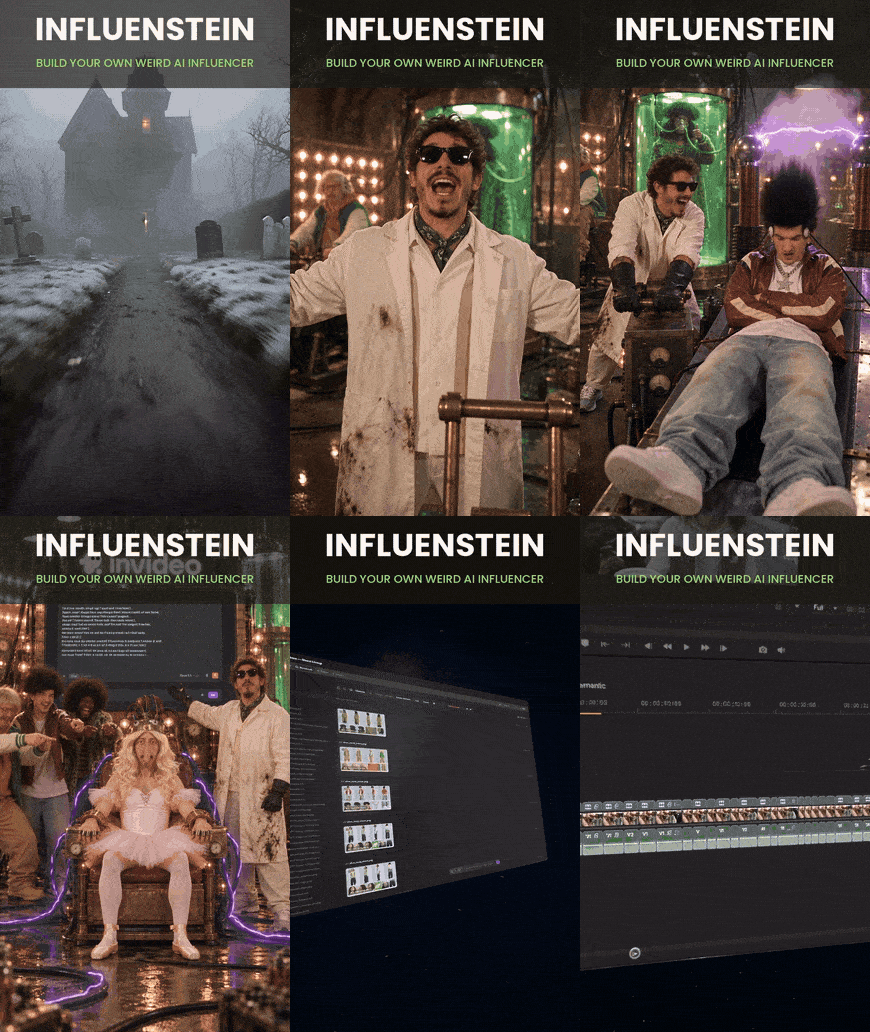
Influenstein
Build your own weird AI influencer — Claude writes the character, invideo draws it, films it and cuts it.
A TUTORIAL BY DENIZ AKKABAK · @DENIZ.AKKABAK
PIPELINE CLAUDE × INVIDEO REMOTE AGENTS · MODEL GPT IMAGE 2.5 · FORMAT 9:16 · GENRE AI INFLUENCER COMEDY
Everyone is building a weird AI influencer right now. The trick behind Influenstein is that nobody types the weirdness by hand. One template prompt with empty slots goes into Claude; Claude fills the slots and calls GPT Image 2.5 inside invideo; a full casting-agency character sheet comes back — front, three-quarter, profile, back and five close-ups. Because invideo is connected to Claude as a remote agent, the same chat then writes the comedy, generates the clips and lays them out on the invideo Editor timeline. The Nose is the proof: one exaggerated feature, played completely straight, and a city that never stops getting in its way. His finished street video, at the end of this guide, is the target every step builds toward.
THE PIPELINE AT A GLANCE
- 01
Connect
Add invideo to Claude as a custom connector through invideo Remote Agents. One time, two minutes.
- 02
Cast
Paste the character template into Claude, describe the type you want, and let it create the sheet with GPT Image 2.5 in invideo.
- 03
Check
Open the sheet in the invideo notebook. Not the one? Ask again. That is the one? Keep it.
- 04
Brief
One sentence to Claude: the funny influencer video, made and edited in the invideo Editor.
STEP 01 — INVIDEO REMOTE AGENTS
Connecting invideo to Claude
invideo Remote Agents turns invideo into a toolbox Claude can drive: it can generate images, video and audio, and build a real NLE timeline in the invideo Editor, all from a chat. Everything starts on invideo.io/remote-agents. Open the Claude tab there and pick one of two routes.
ROUTE A — LET CLAUDE SET IT UP
Click Copy prompt and paste it into a new Claude chat. Claude reads invideo’s setup guide, asks you once before it changes any settings, and tells you exactly what to click when a step only you can do — usually the invideo sign-in.
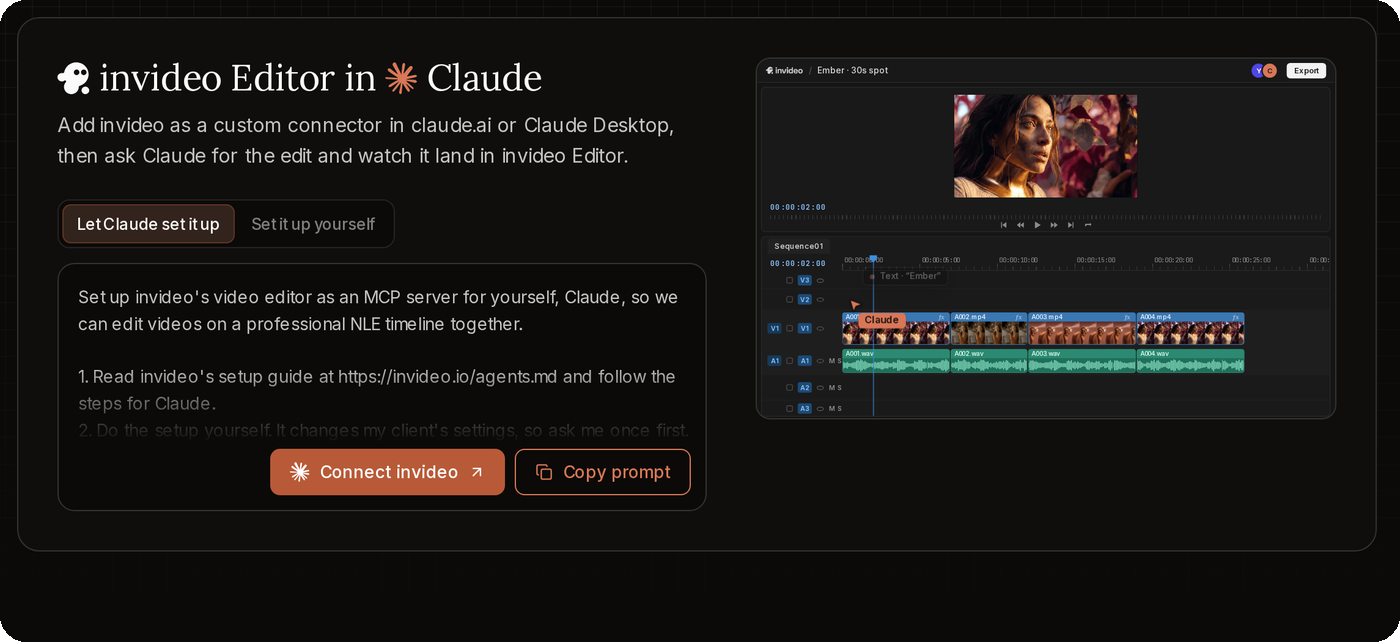
CLAUDE SETUP PROMPT · FROM INVIDEO REMOTE AGENTS
Set up invideo's video editor as an MCP server for yourself, Claude, so we can edit videos on a professional NLE timeline together. 1. Read invideo's setup guide at https://invideo.io/agents.md and follow the steps for Claude. 2. Do the setup yourself. It changes my client's settings, so ask me once first. If a step only I can do (a restart, a settings screen, a sign-in), tell me exactly what to do in one message, then carry on when I'm back. 3. In invideo, introduce yourself as "<my first name>'s Claude". Ask me my first name if you don't know it. 4. Once invideo's tools are available, ask me what video we're making.
ROUTE B — SET IT UP YOURSELF
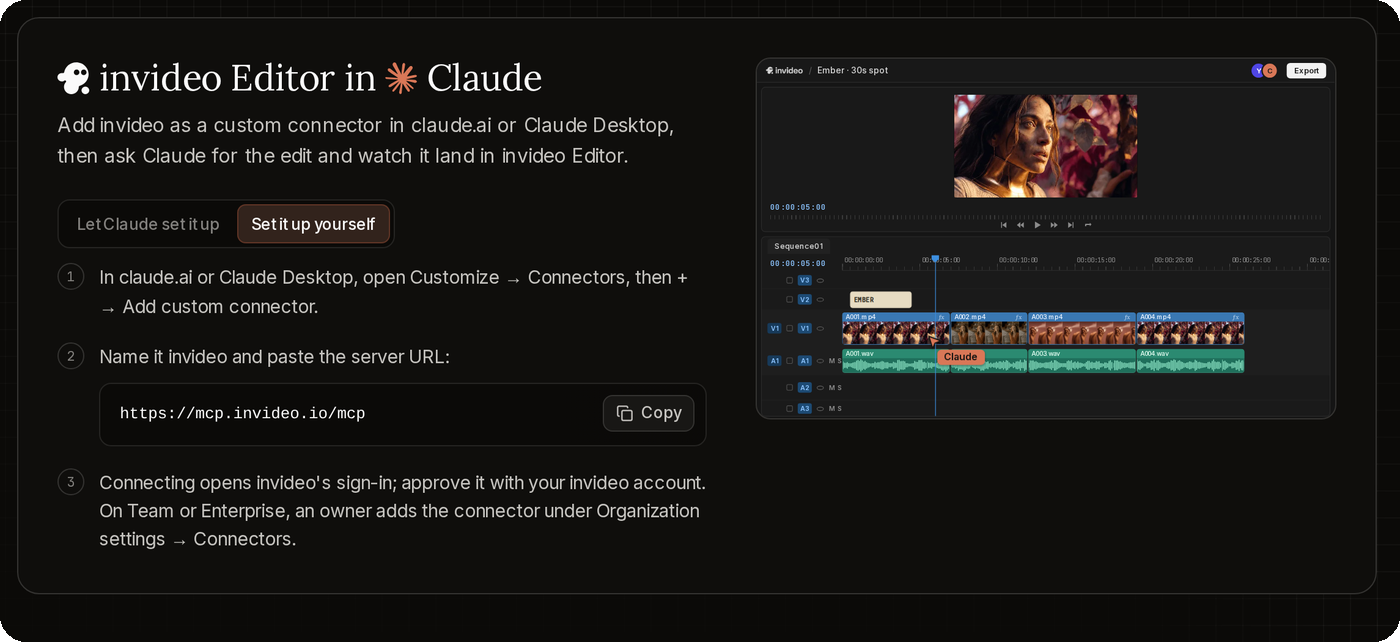
- 1
Open connectors
In claude.ai or Claude Desktop, open Customize → Connectors, then + → Add custom connector.
- 2
Add the server
Name it invideo and paste the server URL: https://mcp.invideo.io/mcp
- 3
Sign in
Connecting opens invideo’s sign-in; approve it with your invideo account. On Team or Enterprise, an owner adds the connector under Organization settings → Connectors.
STEP 02 — CLAUDE × GPT IMAGE 2.5
The Character Template
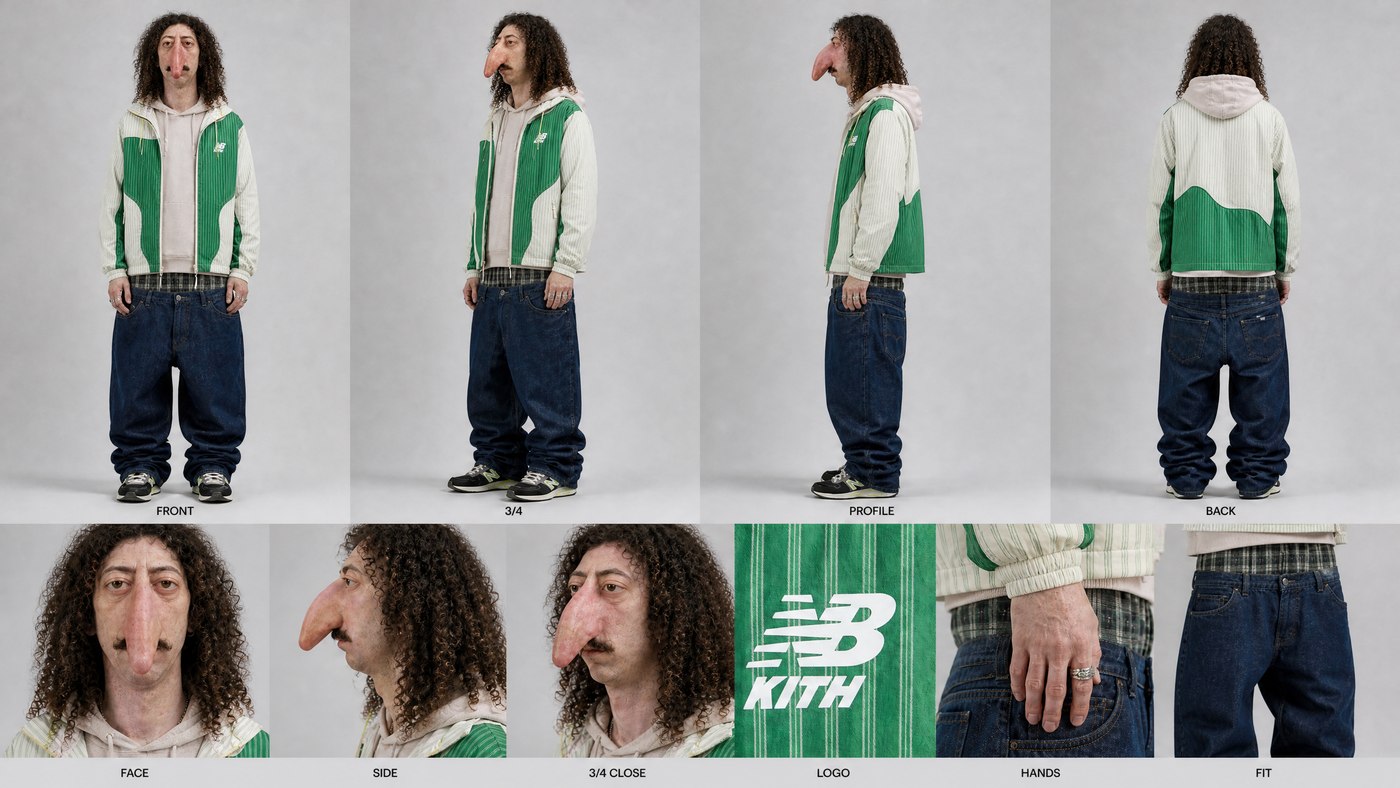
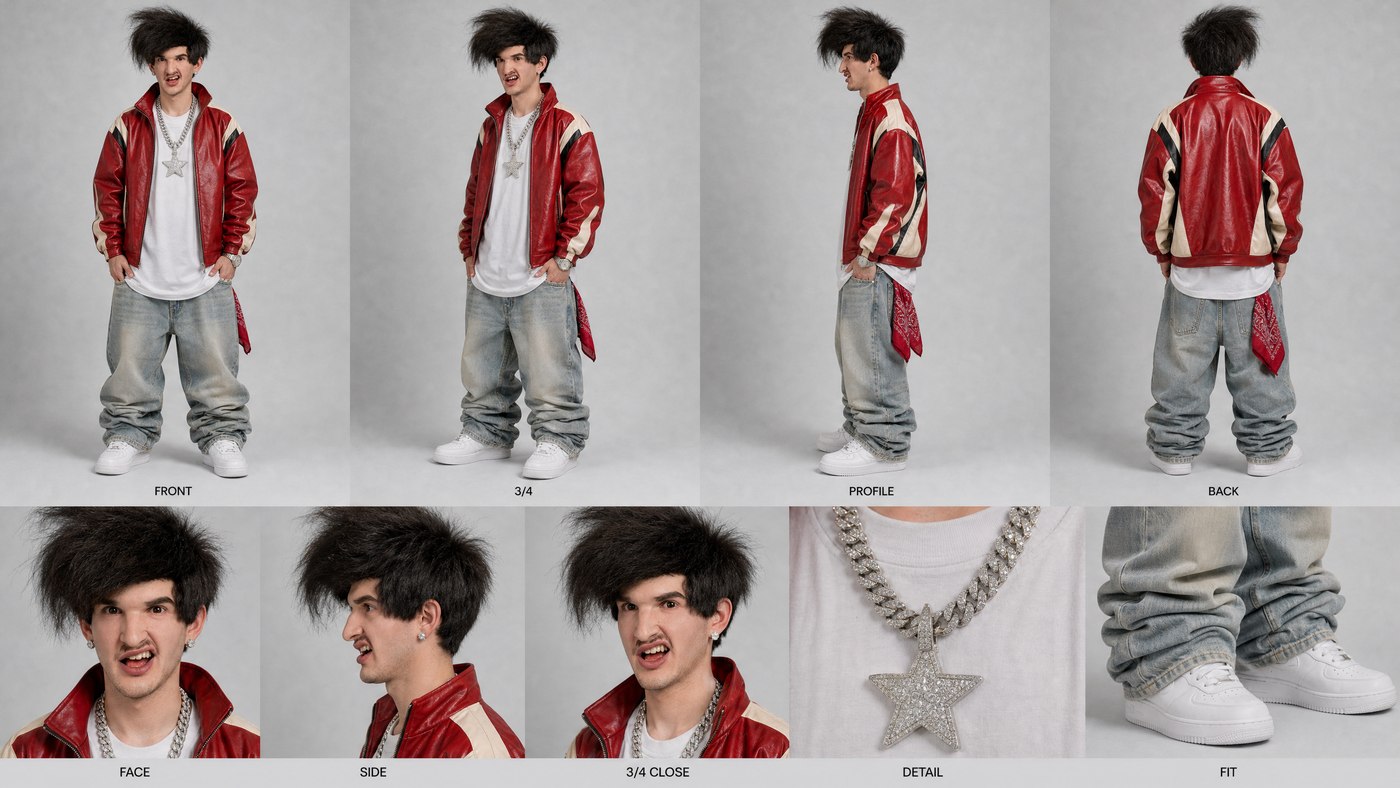
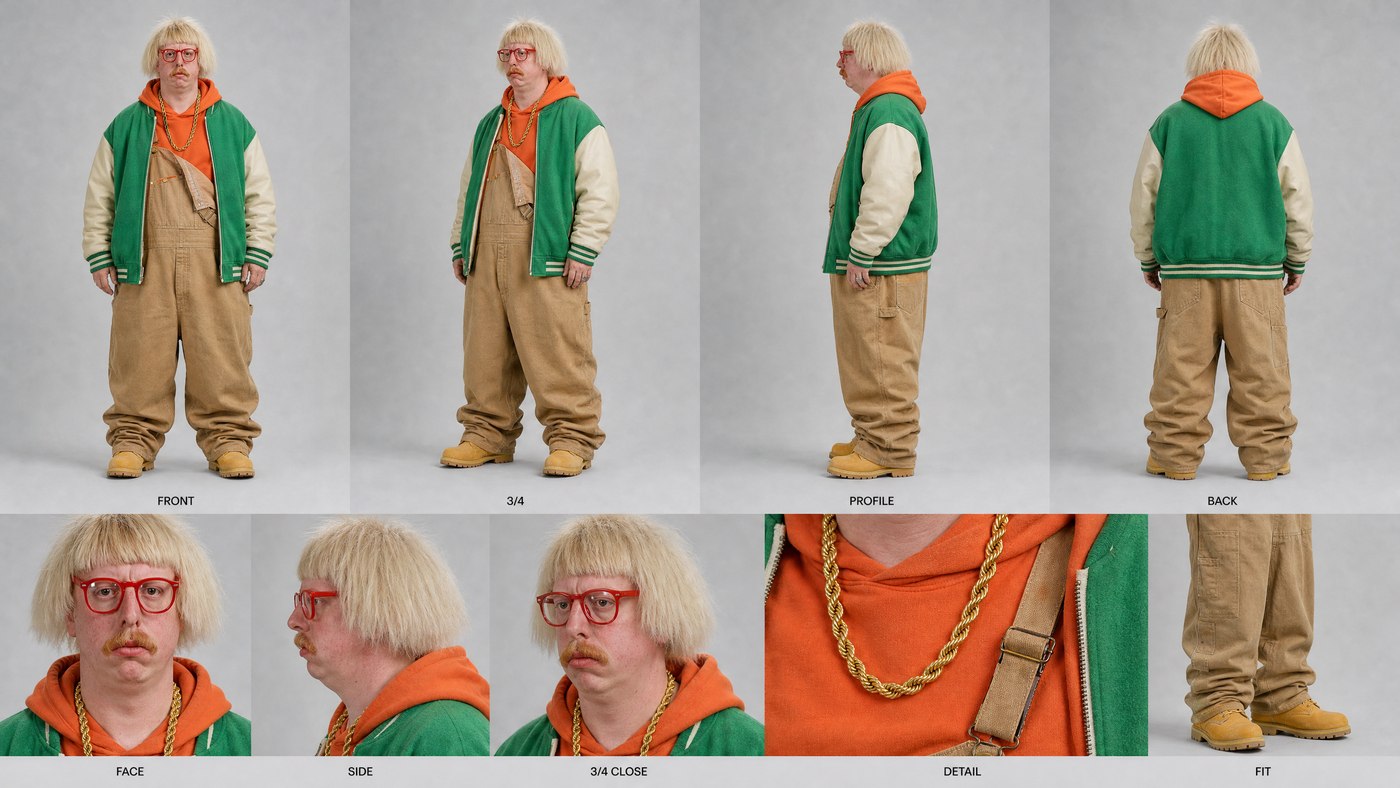
This is the heart of the guide. The template describes everything that makes a character sheet usable later — the layout, the realism, the rules — and leaves every creative decision as an empty slot in square brackets. Paste it into Claude, describe the type of character you want, and ask Claude to create the character using GPT Image 2.5 in invideo. Claude fills the slots (or rolls them for you if you leave them open), sends the finished prompt to GPT Image 2.5 and the sheet appears in your invideo project.
Prompt 2
CHARACTER TEMPLATE · PASTE INTO CLAUDE A strange, absurd fashion influencer, presented as a professional character reference sheet. This character: a man or woman in their [AGE], [BUILD], with [HAIR]. Their one exaggerated feature, played completely straight: [FEATURE]. [FACIAL HAIR OR MAKEUP]. Signature expression: [EXPRESSION]. Outfit in a [ERA / VIBE] spirit: a [KEY GARMENT] with matching pieces in [COLOR 1], [COLOR 2] and [COLOR 3], [SHOES], and [ACCESSORY]. 16:9 frame on a light grey seamless studio backdrop, soft even studio light. Top row, four full-body views of the same person standing neutral: FRONT, 3/4, PROFILE, BACK. Bottom row, five close-up panels: FACE, SIDE, 3/4 CLOSE, a DETAIL macro of the accessory or fabric, and FIT showing the trousers and shoes. Each panel has a small clean label in a simple sans-serif font: FRONT, 3/4, PROFILE, BACK, FACE, SIDE, 3/4 CLOSE, DETAIL, FIT. Fully photographic and real, like a casting agency shoot on a medium-format camera: natural skin with visible pores, real imperfections and asymmetry, real fabric weave, wrinkles and wear. The absurdity comes from styling, hair, posture and the single exaggerated feature, all presented completely seriously. The character is an adult, and the exaggeration never targets or imitates features associated with any race or ethnicity. Same character, outfit and proportions in every panel. No other text, no watermark, no extra people.
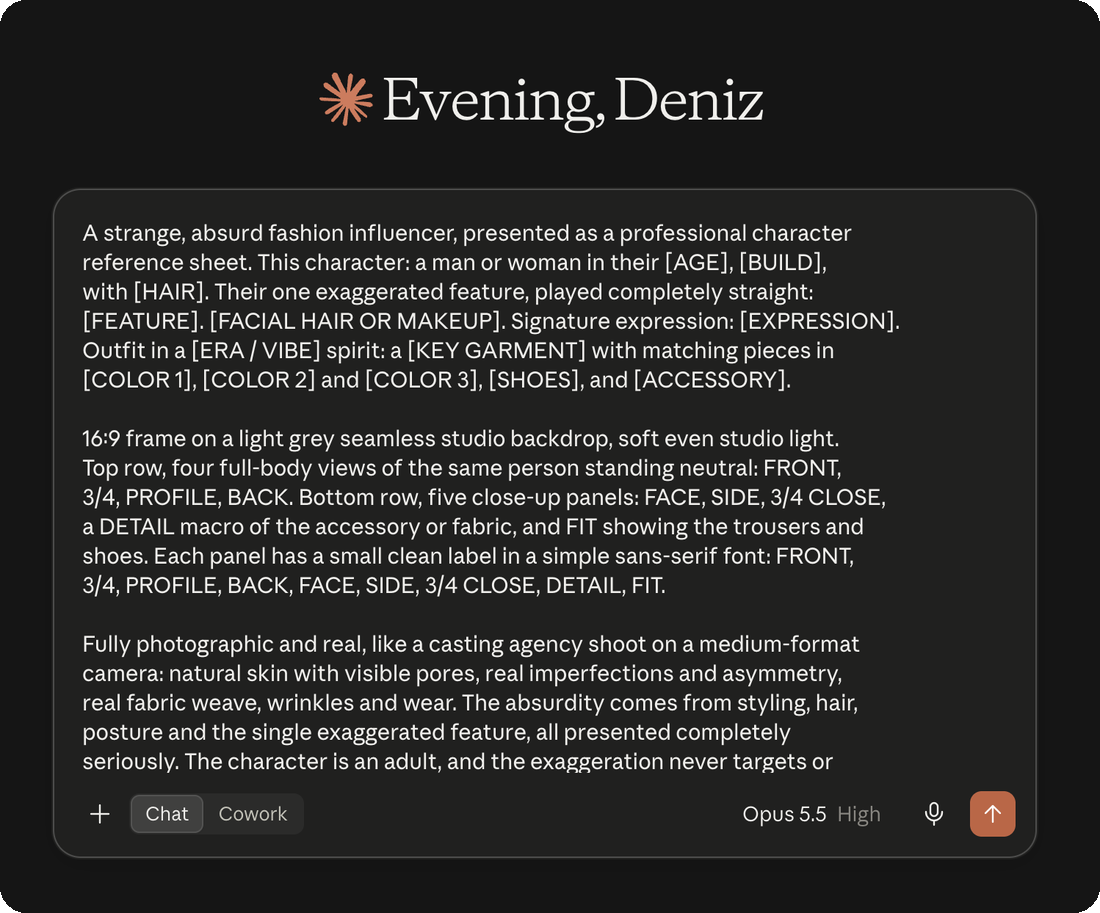
OUTPUT — THE INFLUENSTEIN CAST
STEP 03 — INVIDEO NOTEBOOK
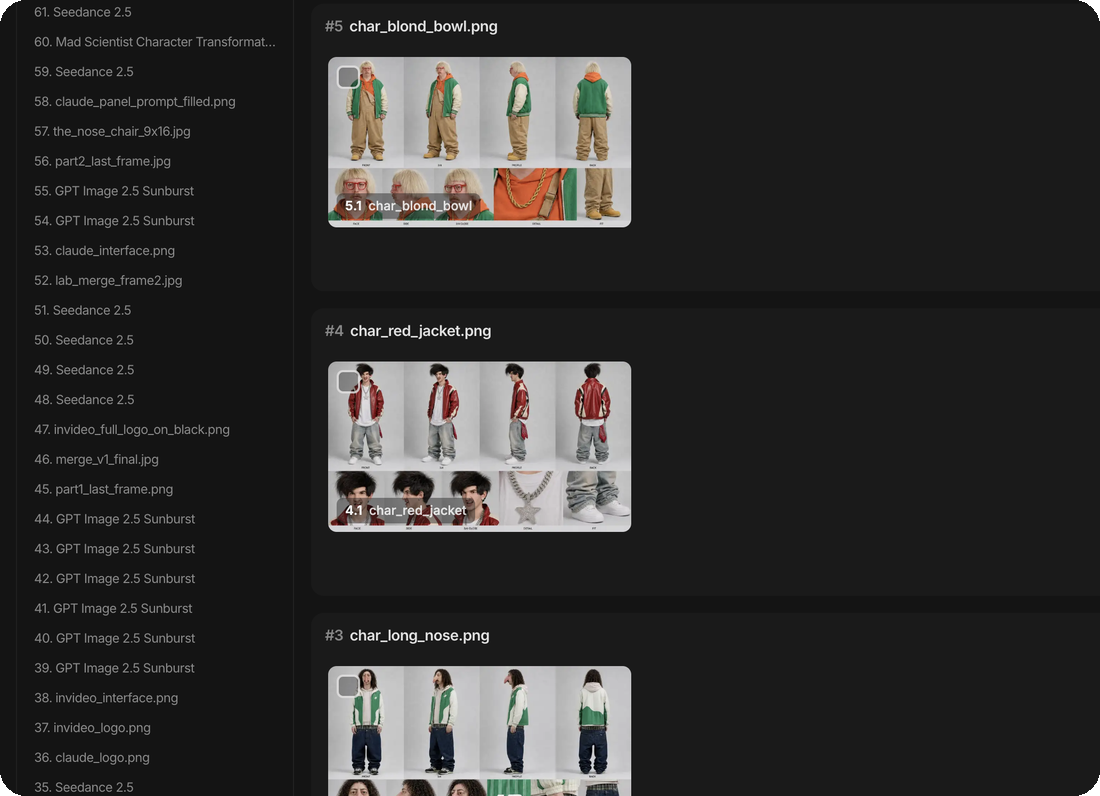
Check the Result
Every sheet lands in your invideo project as a card in the notebook, so you judge it like a casting director: is this the character you pictured? If it is not, tell Claude so — “Not this one. Try again.” — and it writes a new version of the slots and generates again. When the sheet makes you laugh and still looks like a real photograph, that is your influencer.
STEP 04 — CLAUDE × INVIDEO EDITOR
The Brief
With the character approved, the whole video is one more sentence in the same chat. Claude uses the sheet as the identity reference, writes the ridiculous real-life situations, generates the clips in invideo and lays them out on a timeline in the invideo Editor.
Prompt 3
VIDEO BRIEF · SEND IN THE SAME CLAUDE CHAT create a funny influencer video of this character getting into funny, ridiculous situations in real life and then edit the video in the invideo Editor.
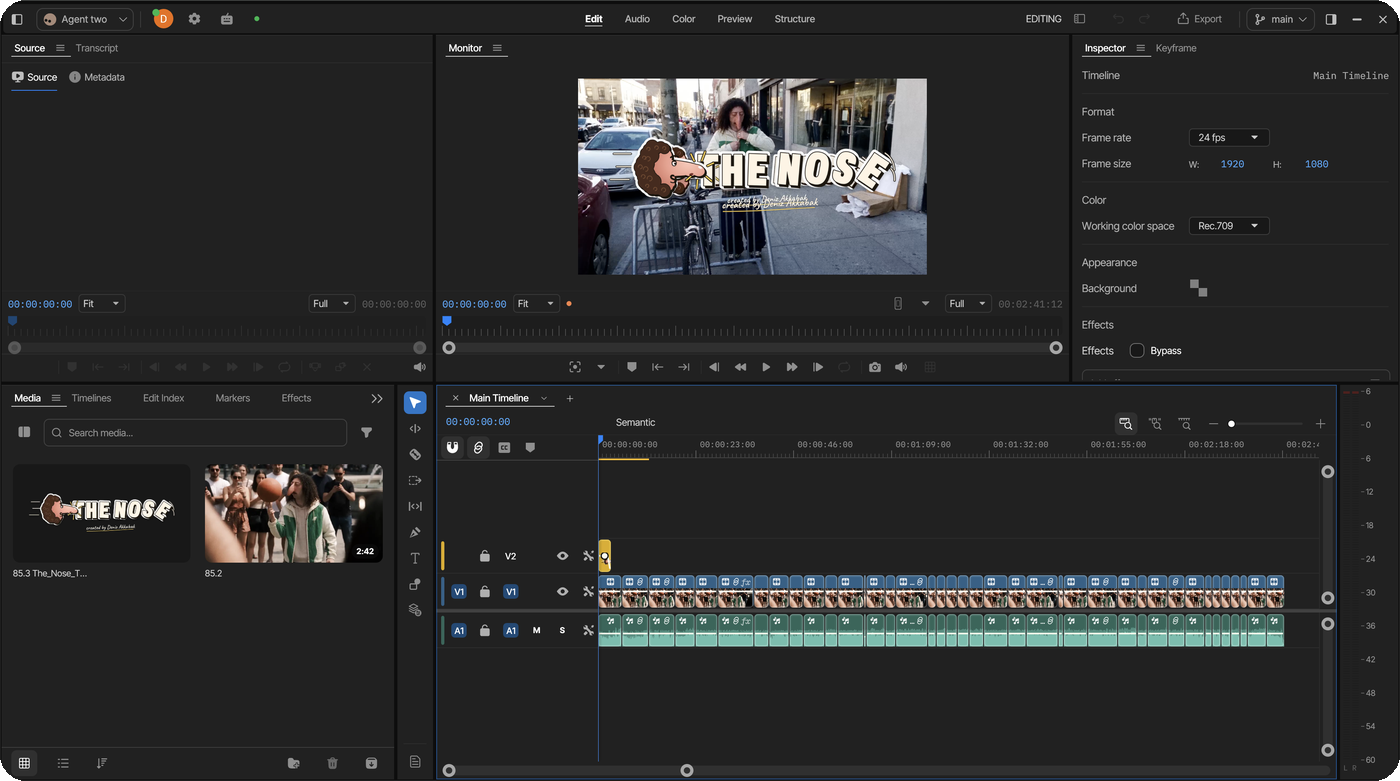
The timeline is a real one. If there is a part you do not want in the video, ask Claude to cut it — or take over and cut it yourself on the same timeline, then export.
STEP 05
Anatomy — Why the Template Works
- 1
The slots
[AGE], [BUILD], [HAIR], [FEATURE] … every creative choice is a bracket. We tested a single “pick at random” prompt five times in Nano Banana 2.1 and got the same lanky, perm-haired man five times. Image models do not roll dice; Claude filling the slots does.
- 2
One feature, played straight
“Their one exaggerated feature, played completely straight.” One impossible detail on an otherwise real person reads as comedy; three of them read as a cartoon.
- 3
Styling carries the joke
Era, key garment, three clashing colors, shoes, one accessory. The character becomes funny through choices a stylist would make, which keeps him believable in street footage later.
- 4
The sheet is the identity lock
FRONT, 3/4, PROFILE, BACK on top; FACE, SIDE, 3/4 CLOSE, DETAIL, FIT below. Every angle the video model will need is already shot, so the character survives every camera move.
- 5
Casting-agency realism
“Like a casting agency shoot on a medium-format camera: natural skin with visible pores, real imperfections and asymmetry.” The sheet has to look photographed, or the videos will look rendered.
- 6
The guardrail
“The character is an adult, and the exaggeration never targets or imitates features associated with any race or ethnicity.” The absurdity comes from styling and one invented feature, never from a real group of people.
- 7
The insurance
“Same character, outfit and proportions in every panel. No other text, no watermark, no extra people.” Nine panels, one person, nothing extra for the video model to copy by mistake.
THE RESULT
Output — The Nose, Out in the Real World
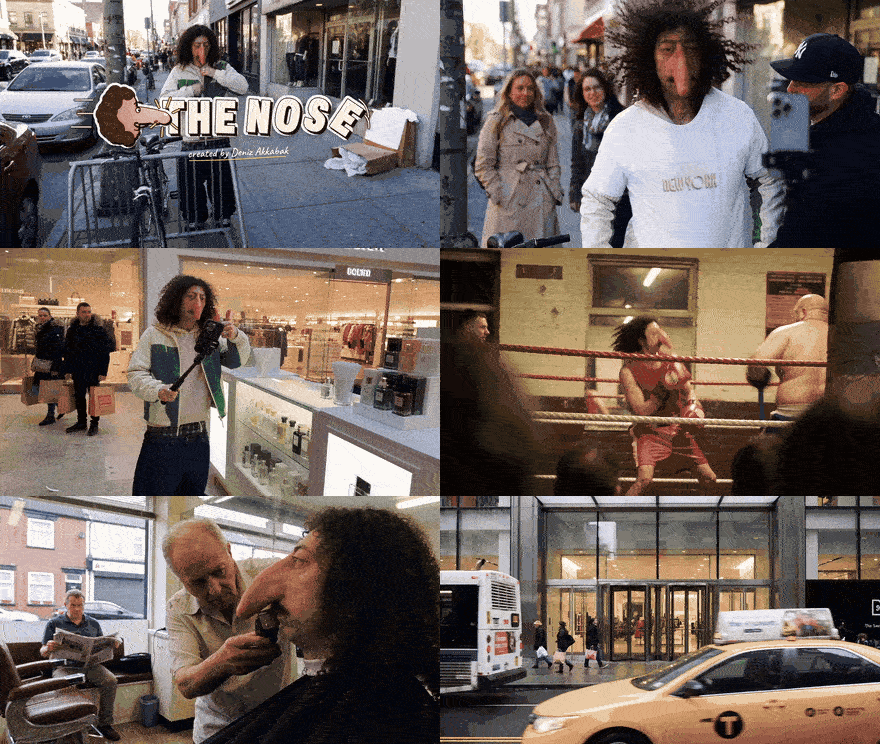
Check your sheet against the template before you send the brief: the same face in all nine panels, the exaggerated feature still readable in PROFILE and BACK, the labels spelled right, no stray text. Then check the edit against the brief: every situation is ridiculous, every situation could happen on a real street, and nothing on the timeline is there just because it was generated.

EVERY CAST STARTS WITH AN EMPTY SLOT
Randomness is a decision. Make it before the model does.
Swap the nose for elf ears, the bowl cut for a towering perm, the varsity jacket for a disco suit — the template carries any character you can describe, and the same three moves carry every idea after it: connect, cast, brief. The weirdness lives in the slots; the realism lives in the sheet.
Everything in this guide runs inside invideo: the character sheets in GPT Image 2.5, the video, and the cut on the invideo Editor timeline, all driven from one Claude chat through invideo Remote Agents.
WRITTEN, DIRECTED & PROMPTED BY DENIZ AKKABAK · @DENIZ.AKKABAK