The Twenty-One Frames
Find an accomplice
Prompt 1
INVIDEO EDITOR BRIEF Edit my uploaded video at every timeline marker. Apply a different GPT Image 2.5 mixed-media treatment to each frame from 10 frames before to 10 frames after each marker, inclusive. Give every marker a distinct style that fits its scene, and add a subtle matching sound effect. Keep the original frame order, cuts, dialogue, music, runtime, and all unmarked footage unchanged. Place everything on the timeline and export the finished video.
Tutorial
DENIZ AKKABAK · INVIDEO EDITOR TUTORIAL · @DENIZ.AKKABAK
MADE IN INVIDEO · invideo.io/i/DENIZ-ig
The Twenty-One Frames
How one plain-language brief turns every marker on an invideo Editor timeline into a hand-made mixed-media hit, while the rest of the film stays exactly as you cut it.
A TUTORIAL BY DENIZ AKKABAK · @DENIZ.AKKABAK
PIPELINE INVIDEO EDITOR · GPT IMAGE 2.5 FORMAT 16:9 · 1:42 · 23.976 FPS GENRE SCI-FI COMEDY · MIXED MEDIA
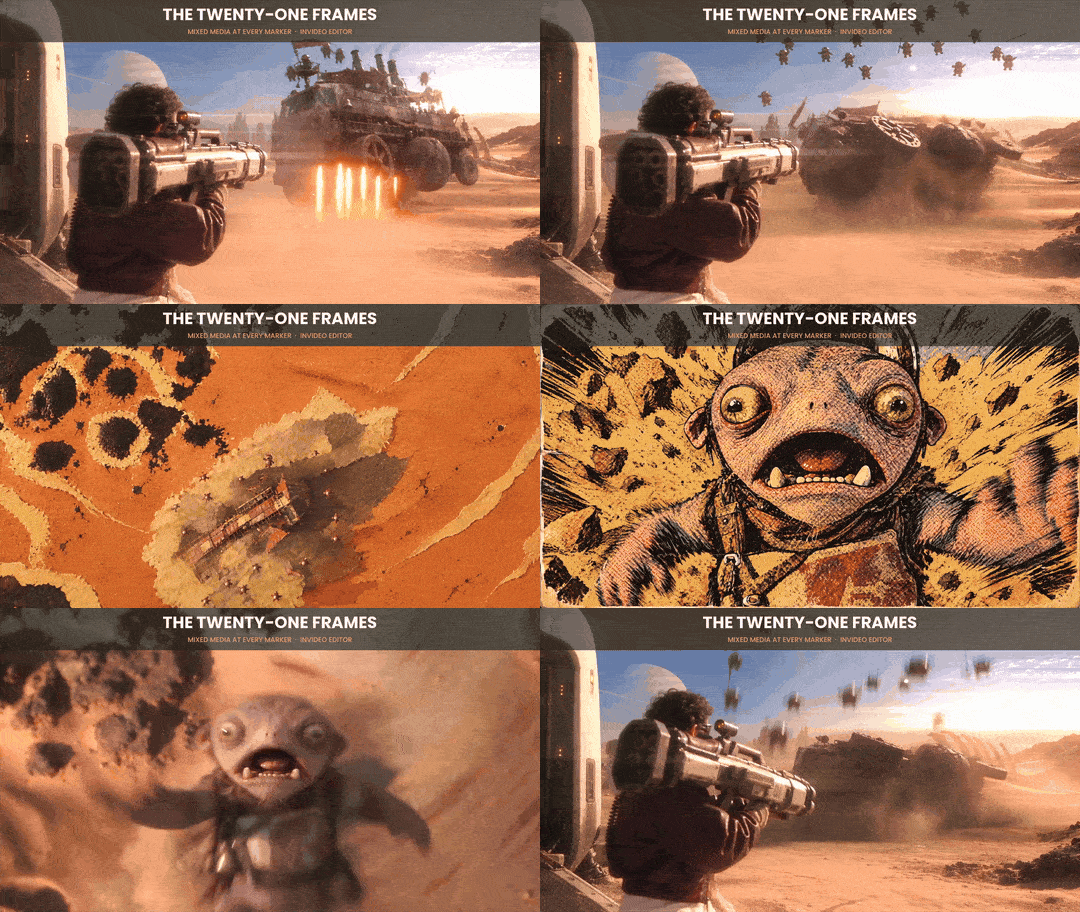
DUST ARSENAL was already finished: cut, voiced, scored, 1:42 of a man testing absurd weapons on a desert planet. The mixed-media hits you see in it were added last, in a single pass. Eleven markers on the timeline, one brief typed into invideo Editor, one export. Each hit lasts exactly 21 frames, under a second at 23.976 fps, so it lands like a flash cut rather than a scene. And because each of those frames is generated as its own image, the collage never holds still: paper edges shift, ink crawls, the style boils like stop-motion.
The trick is that you never describe eleven effects. You describe the rule once and let the markers do the directing: where comes from the timeline, how long from one clause, what from one sentence, and everything you did not mark is protected by name.
THE PIPELINE AT A GLANCE
- 01
Mark the moments
Drop a marker on every frame you want hit. The marker is the centre of the effect; the brief builds the window around it.
- 02
Give the brief
With the finished video on the timeline, paste the brief into invideo Editor. No per-marker instructions, no references.
- 03
Timeline and export
The treated frames and their sound effects are placed on the timeline and the finished video is exported.
STEP 01 — INVIDEO EDITOR
Mark the Moments
Markers are the only creative input the brief does not contain, so where you put them is the direction. In DUST ARSENAL they sit on peaks, never on setup: a weapon leaving the rack, a Krob at the top of its flight, a face frozen mid-reaction, the thumb on the NULL button. Eleven markers across 1:42 works out to roughly one hit every six to ten seconds, often enough to become a signature, rare enough to stay a surprise.
Two markers, 02 and 03, sit back to back in the sky shot. Their windows touch, so the effect runs for 42 continuous frames and changes style halfway: a longer hit exactly where the film is loudest. Keep that in mind in both directions. Markers closer than 21 frames will overlap, and a window that straddles a cut treats both shots.
THE MARKER MAP

STEP 02 — INVIDEO EDITOR
The Brief
Nothing else is attached: the uploaded video with its markers is the whole input. The brief is five sentences, and each one does a single job, from placement to delivery. Step 04 takes them apart line by line.
Prompt 1
INVIDEO EDITOR BRIEF Edit my uploaded video at every timeline marker. Apply a different GPT Image 2.5 mixed-media treatment to each frame from 10 frames before to 10 frames after each marker, inclusive. Give every marker a distinct style that fits its scene, and add a subtle matching sound effect. Keep the original frame order, cuts, dialogue, music, runtime, and all unmarked footage unchanged. Place everything on the timeline and export the finished video.
WHAT 21 FRAMES LOOK LIKE

STEP 03 — OUTPUT
Eleven Markers, Eleven Styles
Each marker came back with its own look, and each look borrows something from its shot. The glass-wall moment is the clearest proof that the style reads the scene: it is the only hit built from shattered glass.
MARKER BY MARKER
#
ORIGINAL
AT THE MARKER
SCENE · STYLE
01
0:16
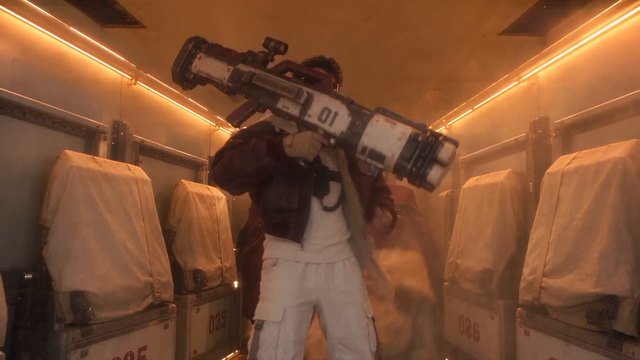
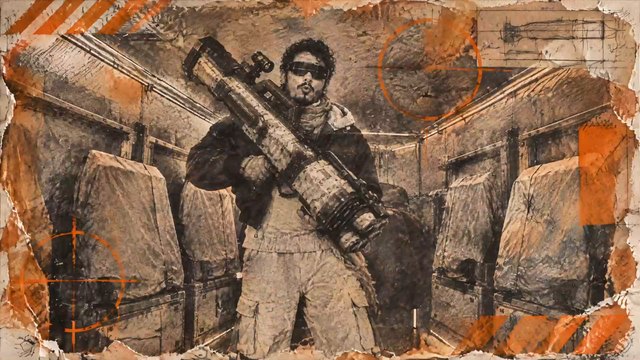
The Hammerhead leaves the rack
Distressed newsprint: black print grain, torn paper edges, orange registration marks.
02
0:23
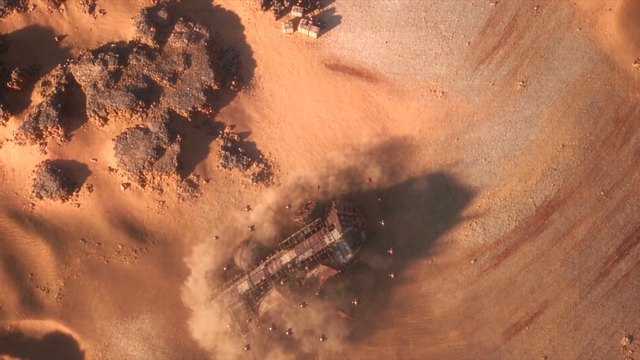
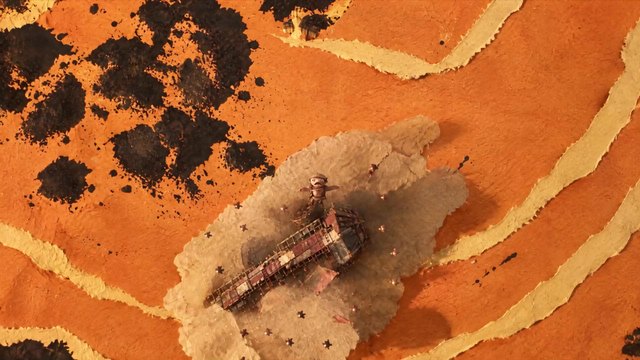
Sky-cam, a Krob launched upward
Orange cut paper with black ink blots and cream torn borders, read like a desert map.
03
0:24
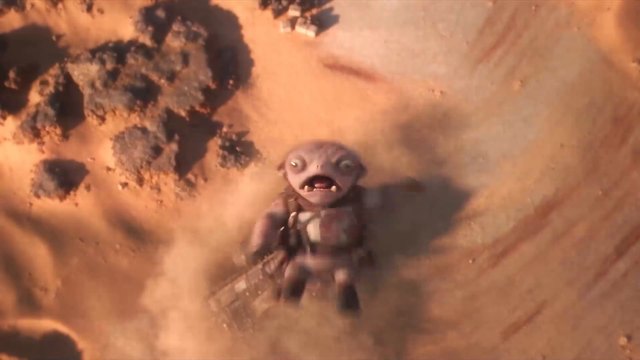
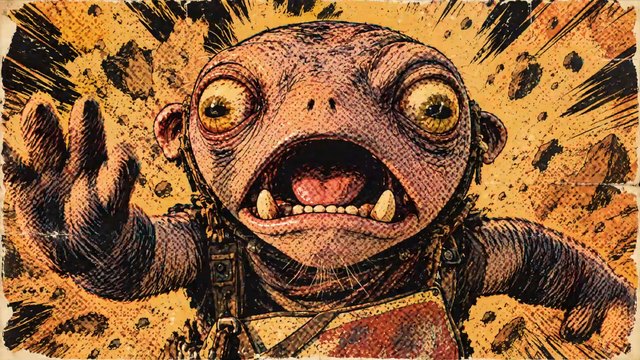
The Krob at the apex, screaming
Pen-and-ink crosshatching over a yellow halftone burst: a comic-book engraving.
04
0:31
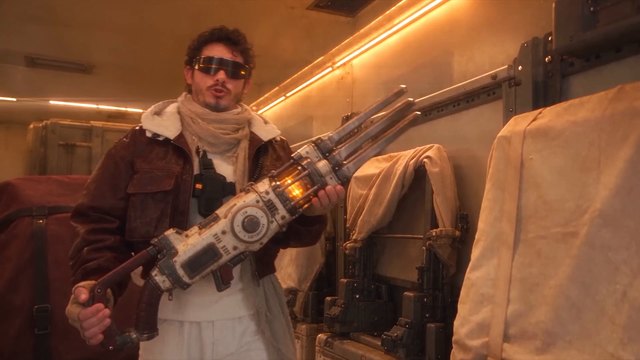
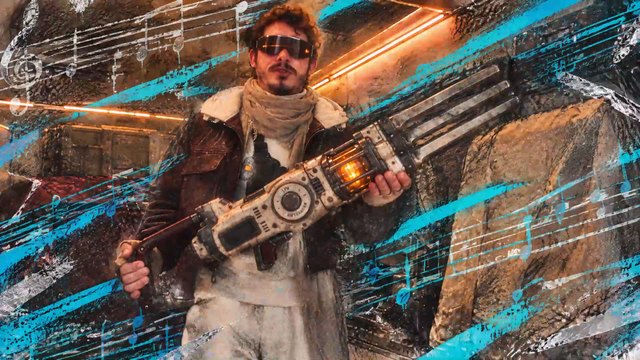
The Dune Harp in hand
Cyan and white brush streaks ripped across the photo like speed lines.
05
0:39
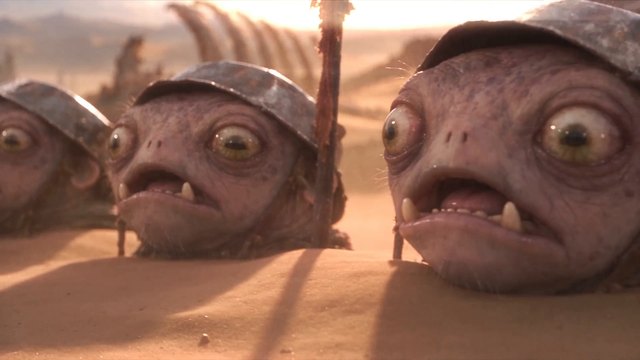
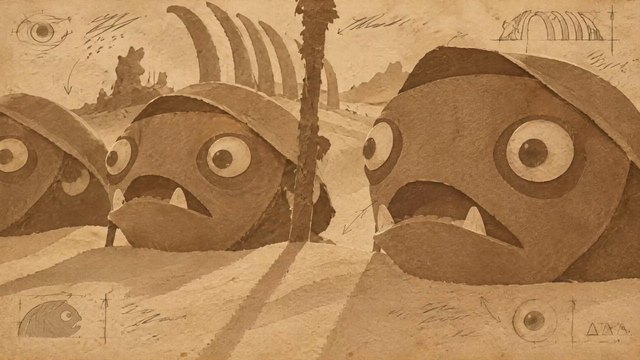
The sinking chorus
Sepia relief, faces carved in sand; the last frames flip to blue cyanotype.
06
0:44
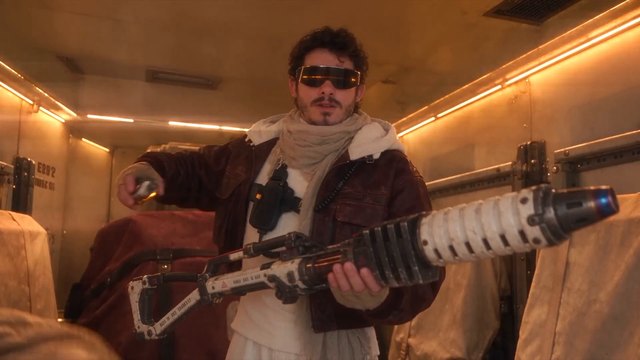
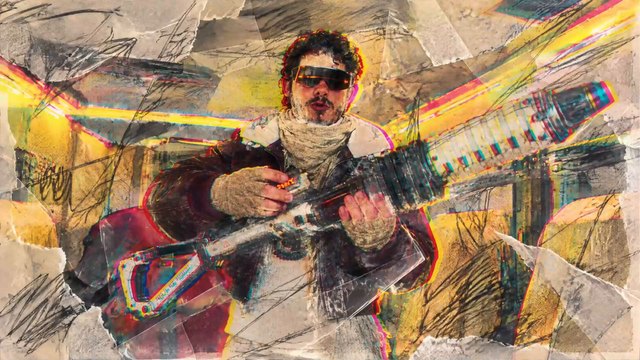
The Glassmaker cartridge
Torn-magazine collage with neon pink, yellow and cyan marker scribbles.
07
0:51
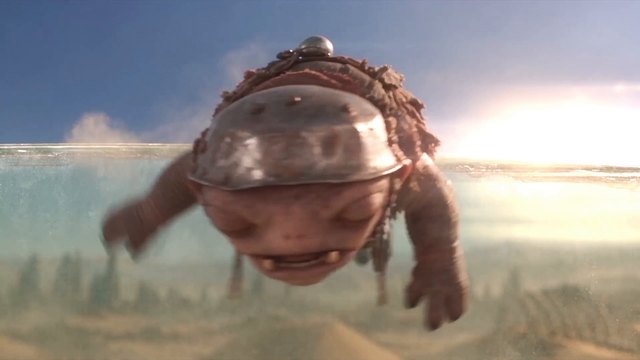
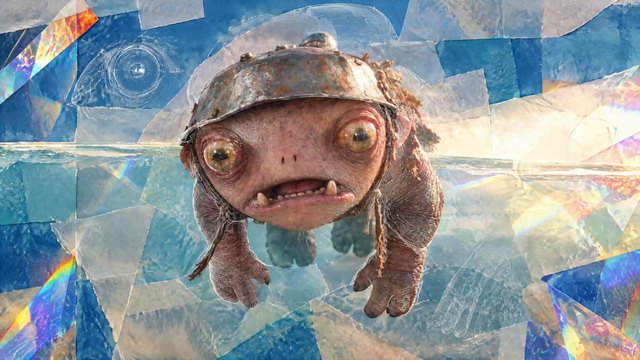
A Krob at the glass wall
Shattered glass and holographic crystal shards: the treatment quotes its own scene.
08
0:58
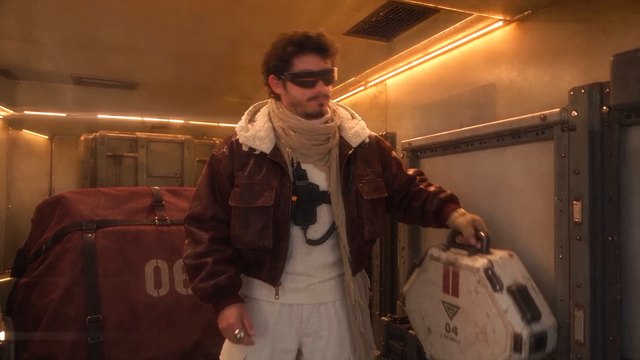
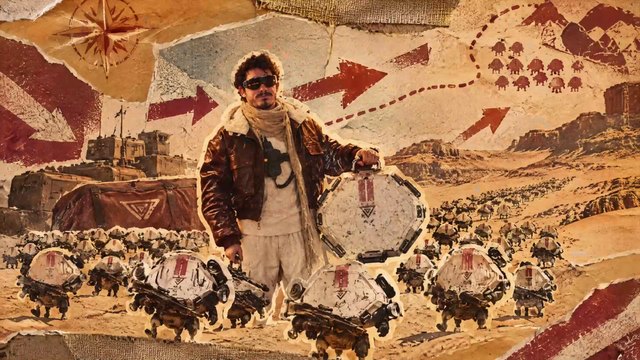
The Murmur case
Vintage expedition poster in red, cream and ochre; the drone swarm redrawn as a marching army.
09
1:05
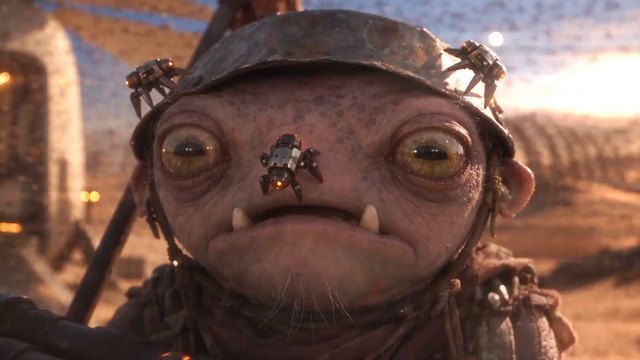
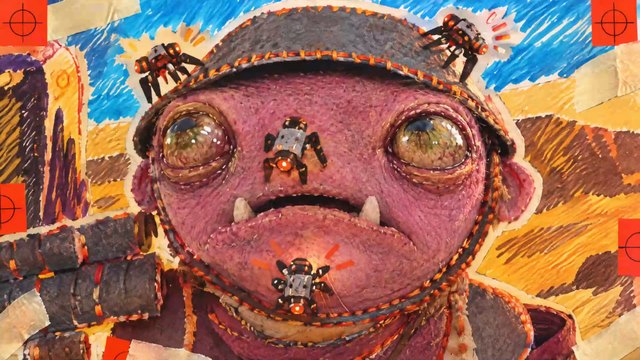
A drone on a Krob’s nose
Pop-art portrait: pink skin, yellow and blue crayon scribbles, red crosshair marks.
10
1:12
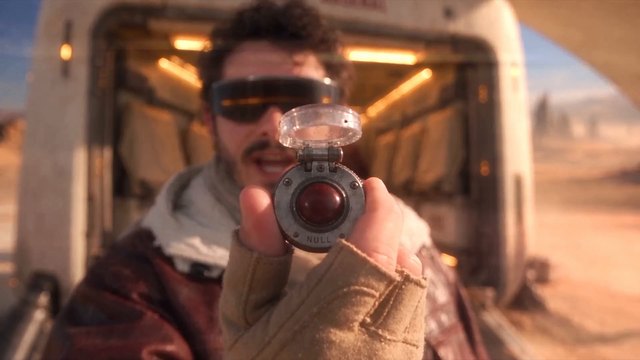
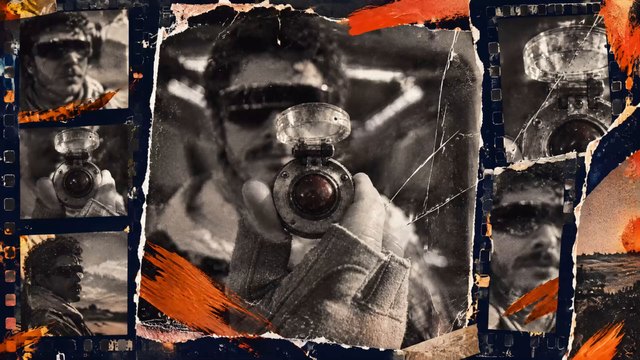
The NULL button
Black-and-white photocopy strips and contact-sheet frames held with orange tape.
11
1:21
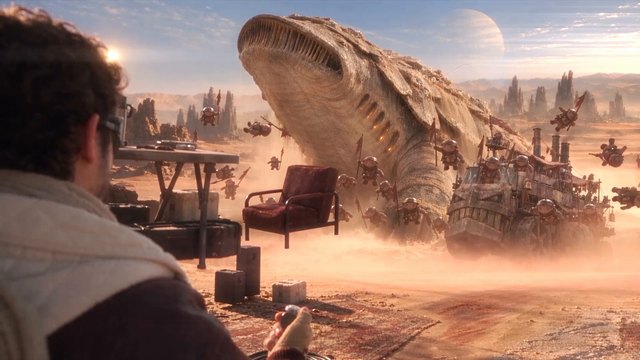
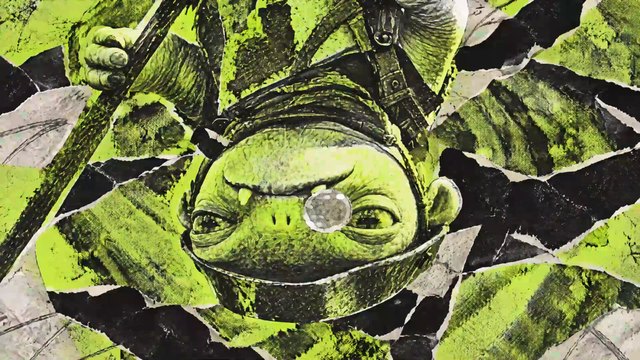
Zero gravity
Acid-green botanical cut-outs over black ink, the Krob drifting upside down.
STEP 04
Anatomy — Why One Brief Directs Eleven Hits
- 01
The contract
“Edit my uploaded video at every timeline marker.”The marker is the only instruction about where. You direct with the timeline, not with prose: move a marker and the hit moves with it.
- 02
The window
“from 10 frames before to 10 frames after each marker, inclusive.”10 + 1 + 10 = 21 frames, about 0.88 seconds. Long enough to read a style, short enough to feel like a cut. “Inclusive” settles whether the marker frame itself counts.
- 03
The boil
“Apply a different GPT Image 2.5 mixed-media treatment to each frame”Every frame is its own image, so nothing holds still. The stop-motion jitter comes from this wording, not from an extra effect.
- 04
The casting
“Give every marker a distinct style that fits its scene”Two constraints in one clause: variety across markers, relevance within each. Glass became crystal shards; the Murmur swarm became an army on a poster.
- 05
Sound as glue
“add a subtle matching sound effect”A visual jump with no sound reads as a glitch; with sound it reads as intent. “Subtle” keeps it under the dialogue and the music.
- 06
The insurance
“Keep the original frame order, cuts, dialogue, music, runtime, and all unmarked footage unchanged.”The negative prompt of an edit brief: it names everything the agent must not touch, so change can only happen inside the windows.
- 07
The delivery
“Place everything on the timeline and export the finished video.”The hits land on the editable timeline, not only in a render, so any one of them can still be adjusted after the pass.
THE RESULT
Output — The Film, Punctuated
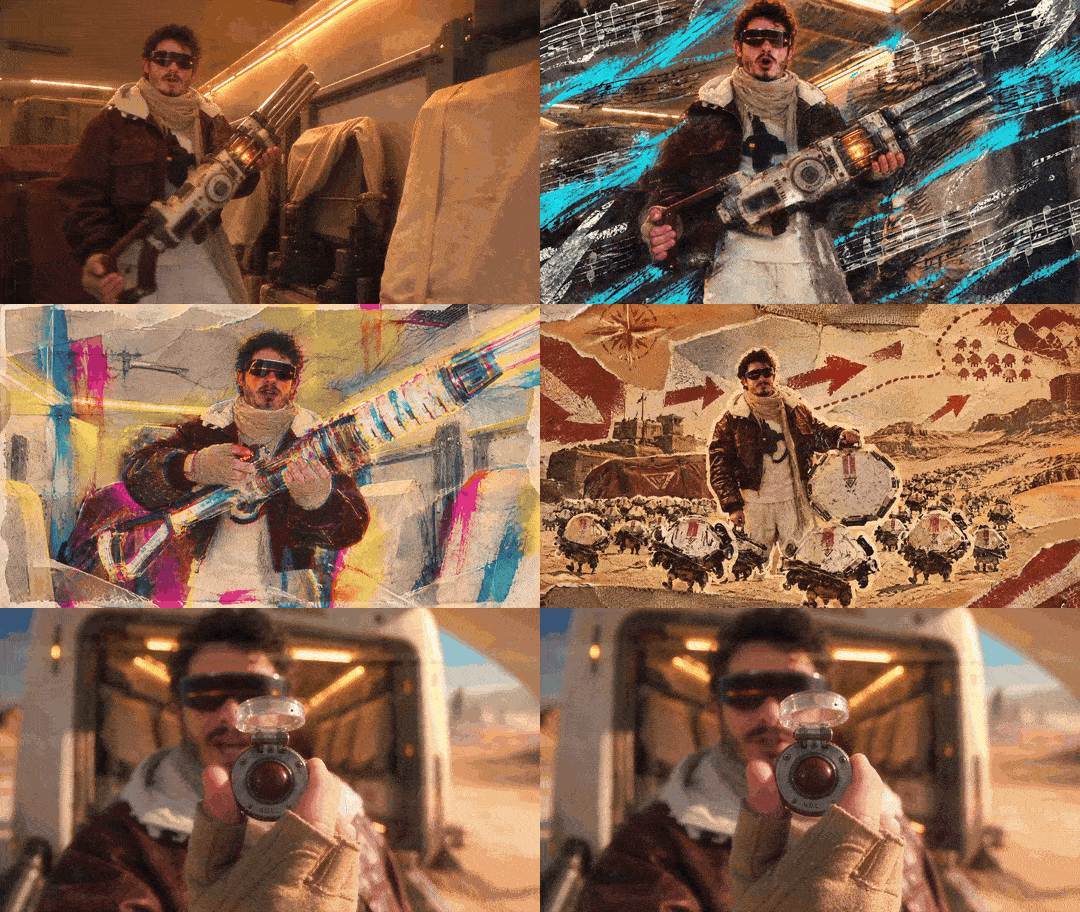
Check it against the brief. Every hit should be exactly 21 frames, every marker should carry its own style, each style should borrow from its shot, and the footage on either side of every window should be the film you uploaded, frame for frame. If a hit feels too long, move the marker or shrink the window; if it feels random, the scene around the marker is probably doing too little.
TWENTY-ONE FRAMES IS A PUNCTUATION MARK
Describe the rule once. Let the markers direct.
Swap mixed media for film burn, pencil animatic or thermal camera; swap ten frames for four, or for twenty-four. The skeleton carries any treatment: a marker says where, a window says how long, one sentence says what, and one line of insurance protects everything else. You stop writing effects and start placing them.

This whole pass was one brief in invideo Editor: plain-language instructions, agents working on an editable timeline, eleven styled hits placed and exported. Start your own edit here:
WRITTEN, DIRECTED & PROMPTED BY DENIZ AKKABAK · @DENIZ.AKKABAK